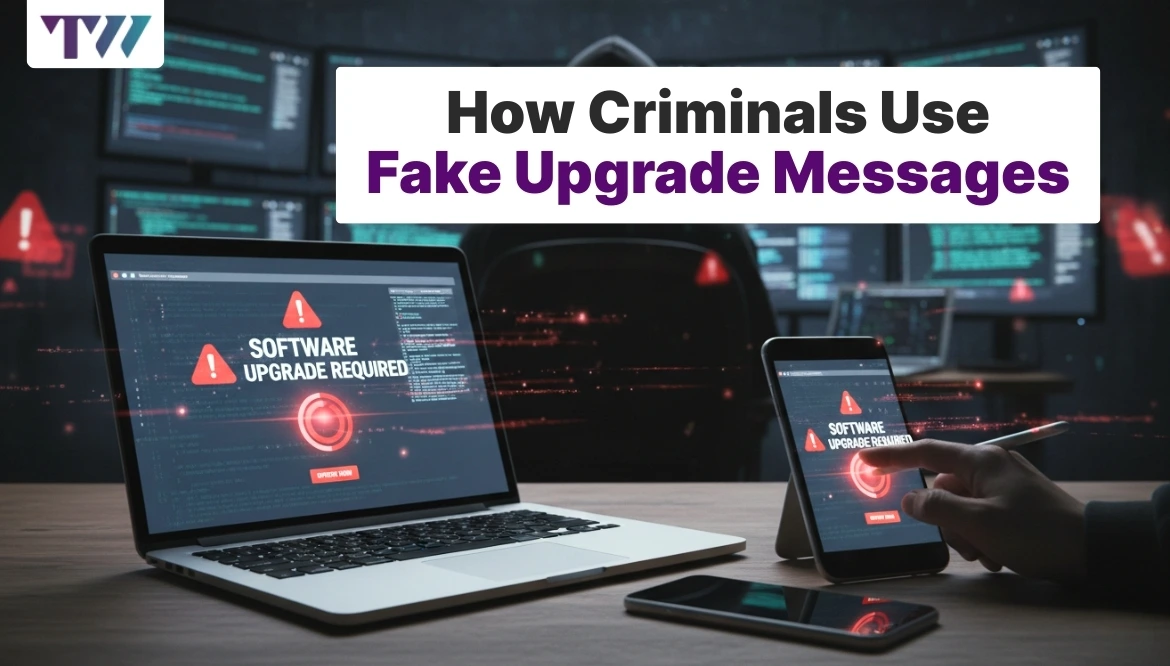
How Criminals Use Fake Upgrade Messages
Upgrade messages appear everywhere today. Phones, apps, streaming services, banks, and even delivery platforms send regular updates or upgrade notices. Most people have grown used to tapping or clicking these alerts without much thought. Criminals know this habit very well. They copy the look and timing of real upgrade messages to trick users into acting fast. These fake messages often feel routine and harmless, which makes them dangerous. Understanding how fake upgrade messages work helps people pause, check details, and avoid giving away money, login details, or personal data.
Why Fake Upgrade Messages Work So Well
Fake upgrade messages succeed because they blend into daily routines. Users expect updates, so the message does not feel unusual. Criminals also send them during common update periods, such as late nights or early mornings, when users feel tired and less alert.
Another reason is trust. Many messages copy well-known company names, logos, and writing styles. When people see a familiar brand name, they relax. They assume the message is safe and skip basic checks.
Fear also plays a role. Messages warn about losing features or access if the upgrade is ignored. This pressure pushes people to act without thinking. Criminals rely on speed, not logic, to make their schemes work.
Common Types of Fake Upgrade Messages
Fake upgrade messages come in many forms, depending on the target. Criminals adjust wording to match the service being copied. Some focus on phones, others on apps or subscriptions.
Many users receive messages claiming a device needs an urgent system update. Others see alerts about account upgrades for storage, security, or membership plans. Some messages arrive by text, while others appear through email or pop-up alerts.
What connects all these messages is timing and tone. They sound routine, but urgent at the same time. This mix lowers doubt and increases quick reactions.
Visual Tricks Used to Gain Trust
Criminals put effort into making fake upgrade messages look genuine. Small visual details help convince users that the message is real.
Familiar Brand Design
Fake messages often copy logos, colors, and layouts from trusted companies. When the screen looks similar to official notices, users feel comfortable clicking links without checking the source.
Clean and Simple Layout
Real upgrade notices usually look clean and direct. Criminals copy this style to avoid suspicion. A simple design feels official and reduces doubt.
Professional Language
Messages avoid slang and use formal wording. This tone makes the alert feel official and well-written, which increases trust.
System-Like Notifications
Some fake upgrades appear as system pop-ups. They look like device alerts rather than messages, making them harder to question.
Fake Progress Indicators
Loading bars or update percentages create the feeling that a real process is happening. Users wait instead of stopping to verify.
The Role of Urgency and Fear
Urgency pushes users into mistakes. Fake upgrade messages rely heavily on pressure to limit careful thinking. Criminals design these alerts to feel time-sensitive.
Messages often warn that features will stop working if the upgrade is delayed. Others claim accounts face suspension or security risks. This fear causes panic, even when no real problem exists.
Short deadlines also play a part. Phrases like “update now” or “action required today” reduce hesitation. When fear mixes with urgency, users act first and think later, which is exactly what criminals want.
Where Fake Upgrade Messages Usually Appear
Fake upgrade messages reach users through multiple channels. Criminals choose the method that best matches the target service.
Text messages remain common for phone and delivery upgrades. Emails work well for account and subscription updates. Pop-up ads often target software and browser updates.
Some fake messages even appear inside apps through unsafe ads. Because the message shows up during normal use, users assume it belongs to the app. This placement increases the chance of clicks and installs.
What Happens After You Click
Clicking a fake upgrade message usually leads to one of several outcomes. None of them benefits the user.
Some links open fake login pages that steal usernames and passwords. Others start downloads that install harmful programs. In some cases, users are asked to pay small fees for the “upgrade.”
Even when nothing seems to happen right away, damage may occur in the background. Data collection, account access, or device slowdowns often follow later. The delay makes it harder to link the issue back to the fake message.
Warning Signs That Reveal Fake Upgrade Messages
Spotting fake upgrade messages becomes easier once users know what to look for. Small details often give them away.
- Messages from unknown numbers or addresses
- Links that do not match official websites
- Requests for payment during upgrades
- Spelling errors or awkward phrasing
- Pressure to act without giving details
Real upgrades rarely demand immediate action through messages. They usually appear inside official apps or settings menus.
How Real Upgrade Messages Usually Work
Understanding real upgrade behavior helps users spot fake ones. Legitimate upgrades follow predictable patterns.
Real updates appear inside system settings or official apps. They do not ask for login details again. Payment requests during upgrades remain rare, especially through text messages.
Official notices also allow time. Users can postpone updates without threats or warnings. When an upgrade message feels pushy or rushed, it likely does not come from a trusted source.
Steps to Protect Yourself from Fake Upgrade Messages
Protection starts with slowing down. Taking a few seconds to verify details prevents most mistakes.
- Do not click links in upgrade messages
- Open apps directly to check update status
- Avoid sharing login details through links
- Check sender details carefully
- Delete messages that feel rushed or unclear
Keeping devices updated through official settings also reduces risk. When systems stay current, fake upgrade messages lose power.
Teaching Others About Fake Upgrade Risks
Many fake upgrade victims include older adults and first-time device users. Sharing simple safety habits helps reduce harm.
Explain how real updates appear. Encourage checking settings instead of messages. Warn about urgent language and payment requests.
When families and teams share devices, one person’s mistake can affect everyone. Clear rules and regular reminders help keep all users safer from fake upgrade traps.
Conclusion
Fake upgrade messages work because they blend into everyday habits. Criminals copy real designs, use urgent language, and target moments when users feel relaxed or distracted. Learning how these messages operate makes them easier to spot and ignore. By checking updates directly through official channels and avoiding rushed actions, users protect their accounts, money, and devices from unnecessary harm.
FAQs
1. Why do fake upgrade messages feel so real?
They copy real brand designs, use formal language, and appear during normal update periods. This familiarity makes users trust them without checking details.
2. Do real upgrades ever ask for payment through messages?
Most real upgrades do not request payment through text or email. Payments usually happen inside official apps or account pages.
3. Can fake upgrade messages harm devices without downloads?
Yes. Some steal login details or track activity through fake pages, even without installing software.
4. What should I do if I clicked a fake upgrade link?
Change passwords right away, scan the device, and check account activity for unusual changes.
5. Are fake upgrade messages common on phones?
Yes. Phones receive many update alerts, making them popular targets for criminals.
Share
Tweet
Pin it
Latest Blog Post
Read Our blogs to be updated with latest deals and trends.