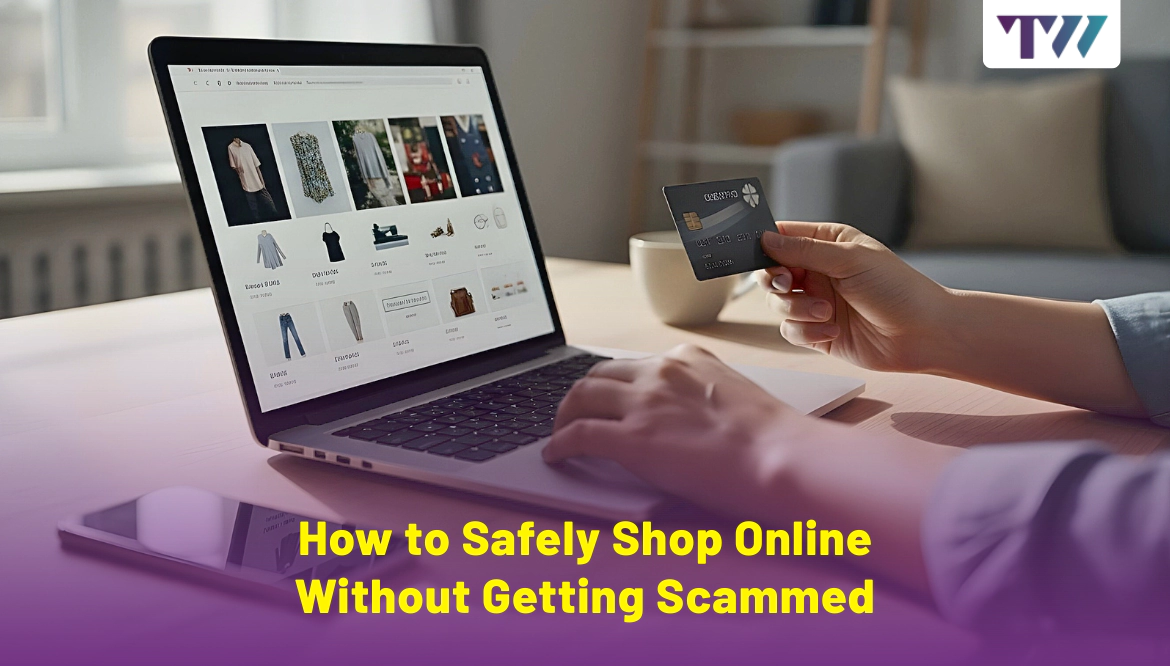
How to Safely Shop Online Without Getting Scammed
Have you ever clicked “Buy Now” on something you were excited about, only to later realize you may have just handed your money and your personal details to a scammer? I have been there. A few years ago, I found what looked like the perfect winter jacket on a website I’d never heard of. The photos were stunning, the reviews were glowing, and the price was just too good to pass up. Three weeks later, I got a thin, cheap raincoat that looked nothing like the pictures, and the “customer service” email never replied.
That experience taught me one thing: shopping online without getting scammed is not about luck, it’s about knowing what to check before you pay.
In this blog, I will walk you through easy ways to shop online safely, using real examples and answers inspired by some of the most common Quora and Reddit discussions on the topic.
Learn the Warning Signs Before You Click “Buy”
The first and foremost step to safe online shopping is spotting red flags before it’s too late. Scammers often lure people in with urgency, fake discounts, and professional-looking websites.
The Discount Trap: How Scammers Hook You
When you see a brand-new iPhone for half the usual price or luxury sneakers for 80% off, take a deep breath and step back.
Why? Scammers thrive on urgency and greed. They want you to think, “If I don’t buy now, I’ll miss out.” This tactic is often seen in fake online stores.
On Reddit, one user shared how they ordered a gaming laptop from a “holiday clearance” sale that looked like a legit electronics site. The laptop never arrived, and the site vanished within two weeks.
How to protect yourself:
- Search for the product and seller on Google with the words “scam” or “review”.
- Compare prices on trusted platforms like Amazon, Walmart, or official brand sites.
- If the price is 40–50% lower than average, question it.
Stick to Trusted Online Marketplaces
While new online shops pop up daily, beginners should start with platforms that have buyer protection policies, like Amazon, eBay, or Walmart.
Why it matters:
- They use secure payment gateways.
- They mediate disputes if something goes wrong.
A user bought shoes from a small, unknown Instagram shop and never got a reply after payment. Had they used Amazon, they could have requested a refund under the “A-to-Z Guarantee.”
Tip: Even on big marketplaces, check seller ratings, reviews, and how long they have been selling.
Check the Website’s Security Before Paying
Before entering your card details, look for:
- HTTPS in the web address (that’s the little padlock icon in your browser).
- A correct spelling of the brand’s name in the URL.
Why this matters: Fake sites often use lookalike domains like “amaz0n-shop.com” instead of “amazon.com.”
Avoid Paying with Direct Bank Transfers
Scammers love wire transfers, cryptocurrency payments, and gift cards because they’re nearly impossible to trace or refund. Safe payment methods for beginners:
- Credit cards (often offer fraud protection)
- PayPal (use the “Goods and Services” option, not “Friends and Family”)
One shopper sent money via bank transfer to a “wholesale clothing site.” The store never shipped anything, and the bank said there was no way to reverse the payment.
Read Real Customer Reviews (Not Just the Ones on the Site)
Scammers can fill their websites with fake 5-star reviews. How to find real ones:
- Use sites like Trustpilot, Sitejabber, or Google Reviews.
- Check YouTube unboxing videos.
- Search “[Store Name] reviews” on Reddit, and people are brutally honest there.
Tip: Pay attention to reviews with photos from actual buyers.
Watch Out for Fake Social Media Ads
Many scam shops rely on Facebook, Instagram, and TikTok ads to reach people. They often steal product photos from real sellers and run ads with huge discounts.
One user shared screenshots of a $200 backpack “sale” ad. The photos were stolen from a well-known outdoor gear brand, but the scam site sold knockoffs for $39.
How to stay safe:
- Click on the store profile and check how long they’ve been active.
- Look for a proper “About Us” page with a physical address.
- Be cautious if comments are disabled on their posts.
Learn to Spot Phishing Emails
Phishing emails try to manipulate you into clicking fake “order confirmation” or “account suspension” links. Signs of phishing:
- The sender's email address looks suspicious (e.g., “amazon-secure@xyzmail.com”).
- Urgent threats like “Your account will be closed in 24 hours.”
- Spelling errors and awkward grammar.
Example: A user received a “PayPal” email saying their account was compromised. The link led him to a fake login page designed to steal their password.
Safe Devices Mean Safe Shopping
A secure device is as important as a secure store. Scammers can steal your details through malware or phishing pages without you realizing it. Simple steps to stay safe:
- Install antivirus software.
- Keep your phone or computer updated.
- Avoid shopping on public Wi-Fi without a VPN.
Use Virtual Cards for Online Shopping
Some banks let you create temporary “virtual” cards for online purchases. These cards have different numbers from your actual credit card and expire after a short period.
Why it’s great for beginners: Even if a scammer gets your card info, it becomes useless after the transaction.
Trust Your Gut
If something feels off, the site loads slowly, the images look copied, or the seller avoids answering simple questions, walk away.
Wrapping Up
Shopping online doesn’t have to feel like walking through a dark alley with your wallet in hand. Once you learn to spot suspicious signs, verify sellers, and use safe payment methods, you can buy what you want with confidence.
So, the next time you see that “once-in-a-lifetime deal,” ask yourself: Am I buying a great product, or a great story a scammer made up?
Common Questions
How do I know if an online store is legit?
Look for HTTPS in the web address, genuine reviews on third-party platforms like Trustpilot, and a clear return policy with a real physical address. Search the store name followed by “scam” to see other buyers’ experiences. Check how long the site has been active using a WHOIS lookup. If the website has poor grammar, unclear contact details, or unbelievably low prices, it’s better to avoid buying from them altogether.
What’s the safest way to pay online?
Credit cards and PayPal “Goods and Services” are the safest options. Both offer dispute resolution and fraud protection if you don’t receive your order or the product is not as described. Avoid direct bank transfers, cryptocurrency, and gift cards, as these types of payment methods are difficult to trace or recover. If your bank offers virtual cards, consider using them for extra protection when shopping on unfamiliar websites.
How can I avoid fake ads on Facebook?
Check how long the page has been active, read real customer reviews, and see if the business has a proper website with secure payment options. Avoid buying directly through ads without researching the store first. Search the store name on Google, Reddit, or Trustpilot to confirm legitimacy. Be cautious with new pages offering massive discounts and disabling comments on their posts; that’s a common scam tactic.
Share
Tweet
Pin it
Latest Blog Post
Read Our blogs to be updated with latest deals and trends.