How to Spot a Fake Email in Seconds
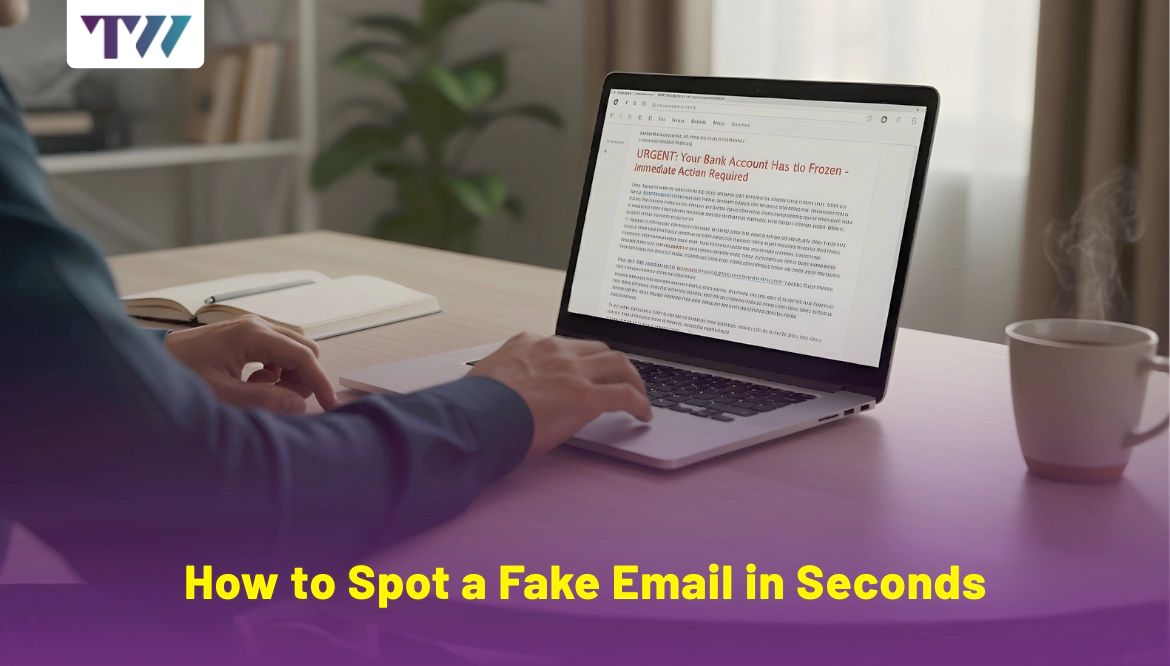
Today, phishing is one of the most common cyberattacks, often carried out through fake emails. In the past year, 85% of organizations faced phishing attempts, and 68% suffered serious impacts such as data loss or financial damage. The main goal behind these attacks is to steal money, gain access to accounts, or install malware on the victim’s device.
If you want to protect yourself from phishing email scams, then keep reading this blog to learn how to spot a fake email in seconds. Here, I will cover 7 essential checks to help you identify suspicious or corrupted emails easily. Also, you will find the best tips and tricks, along with the dos and don’ts, to deal with phishing emails. Let’s get started:
Check the Sender’s Email Address
First, you need to pay attention to the sender’s email address. At first glance, it may look genuine, but it’s actually fake. Look for subtle misspellings or variations in the email address that might indicate a fake sender.
Attackers slightly alter the domain name to make it look real. For example, amaz0n.com instead of amazon.com. Always check the full email address to confirm the sender’s authenticity.
Focus On the Email Content
Watch out for urgent or threatening language, like warnings that your account will be suspended or demands for immediate action. Legitimate companies usually address you by your name or a specific identifier, not generic greetings like Dear Customer or Dear Member.
Scammers may try to lure you with free gifts, big discounts, cash prizes, or offers that sound too good to be true.
Look for Spelling and Grammar Errors
Real companies invest in professional communication standards, making poor grammar and spelling totally unacceptable. Grammatical mistakes and poor spelling are strong indicators of a potential phishing or scam email. Spot awkward phrasing, unfamiliar greetings, words like “recieve” instead of “receive.”
Be cautious, even scammers use spellcheck tools, which can make their emails look more convincing despite hidden mistakes.
Important Note: This doesn’t mean that all emails that contain typo errors are fake; even experts can make mistakes when in a hurry.
Watch Out for Urgent or Threatening Tones
A sense of urgency and a threatening tone within an email are strong signs of a phishing or scam email. All these emails contain links or attachments that direct you to malicious websites and steal your data quickly. Scammers always use a threatening tone, mentioning phrases like:
- “Legal action will be taken against you.”
- “Final notice before legal action”
- “Immediate action required”
These phrases are the tactics used by the scammers that direct you to click the link, download, or share the information quickly.
Never Share Personal Information
Don’t ever open any attachments from unknown or untrusted senders that ask for your personal information. Real companies rarely ask for private data like passwords, credit card details, or social security numbers via email. You must always verify the legitimacy of the company or organization before taking any action.
Ignore Unrealistic Offers or Rewards
Avoid emails that promise guaranteed returns, claim you’ve won a contest, or offer massive discounts for no reason - these are common scam tactics. They use similar domain names or logos to trap you easily. They offer various get-rich-quick schemes or similar tactics, like fake job alerts.
Remember, real opportunities require time and effort; they don’t just arrive in your inbox out of nowhere.
Avoid Clicking Suspicious Links
Always check the URL before clicking. Don’t open attachments from unknown senders or if they seem out of the ordinary. Hover over links to check the genuine URL and make sure it matches the expected website. Steer clear of links asking for fees or charges to claim a prize - this is a classic scam tactic.
Clicking on malicious links can download malware onto the recipient's device. These emails aim to steal sensitive information like login credentials, financial details, or personal data.
Final Words
Most email providers include options to report phishing or spam directly. If something feels off, it probably is. Don’t hesitate to delete or report the email. Make yourself aware of the latest phishing scams and tactics to better protect yourself. Use multi-factor authentication and reliable security software to keep your phone or computer safe from viruses and attacks.
Frequently Asked Questions
How can you spot a fake email?
Detecting fake emails can be straightforward if you know what to look for, but it’s not always easy. While some fake emails are obvious due to poor grammar or suspicious links, others are designed to be highly convincing and can be difficult to spot.
First, verify the domain name and look closely at the sender’s name and email address. Then, analyze the email content, including formatting, grammar, spelling, and suspicious links. Ignore unusual requests, such as asking for sensitive information like login credentials, payment information, or personal details.
Is it safe to reply to scam emails?
Never reply to a scam email. If you unknowingly or accidentally replied to a scam email that appeared to be from a trusted source, first alert the company or organization through the website or official email, and let them be aware of the scam. The authority might take strict actions to prevent users from becoming victims of the email scam.
Can you track a fake email account?
Yes, fake email accounts can sometimes be traced, but it is difficult and often requires law enforcement or specialized tools. Analyze the email headers as they contain metadata about the email’s journey, including originating IP addresses and other identifying details. Scammers may use VPNs or proxies to mask their IP, but law enforcement can still request information from the ISP.
Share
Tweet
Pin it
Latest Blog Post
Read Our blogs to be updated with latest deals and trends.